The Church Admin Premiumnow has the ability to share email and sermons to your church Facebook page very simple.
All you need to do is connect your Facebook Page.
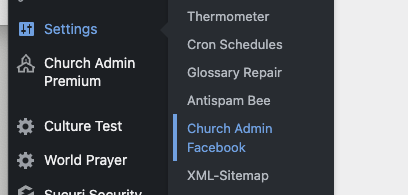
Head to your WordPress website Admin are and click on “Settings” and then “Church AdminFacebook “
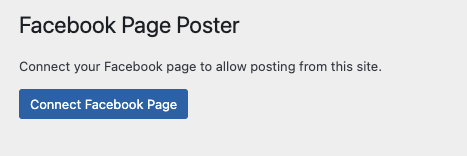
That will show you this screen, click on “Connect Facebook Page”
You will be taken to a popup on your Facebook Page Andgiven a dialodue box to connectyour Facebook Account.
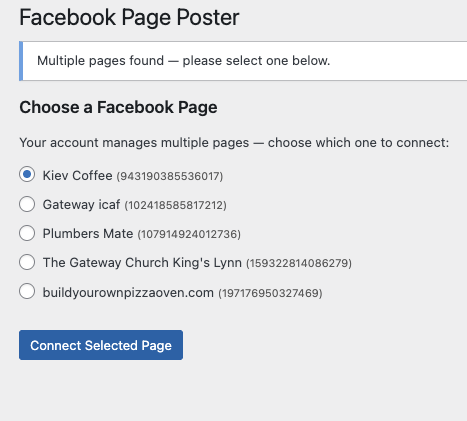
Then it willredirect back to your Church website where you can pick which page you want to connect.
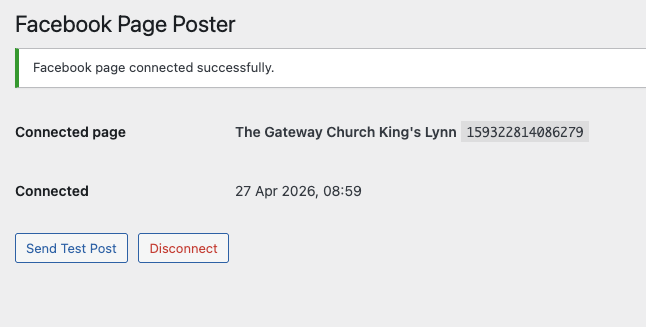
After you have done that you will get a final page allowing
to disconnect if you wish or test it!
The connection data is only stored on your website per user that has connected as a token.
Deleting your Facebook user connection
Click onyour website dashboard>Settings>Church Admin Facebook
If connected, then click disconnect
Facebook Church Admin App Privacy Policy
The app just allows your website to post to your Facebook page.
Users of your site with “communications” permissions can connect the site to the Facebook page.
Only an access token is stored within the database of your website.
Posts will be named asposted by “Church Admin Plugin”.
You can disconnect the connection at any time by visiting your website dashboard>Settings>Church Admin Facebook and clicking Disconnect.