⭐ Premium
Ministry Chat gives your church a private messaging space for your whole congregation and each ministry team — keeping church communication together in one place without anyone having to share their personal phone number.
Why not just use WhatsApp?
Many churches use WhatsApp groups for ministry teams — worship band, children’s workers, welcome team and so on. The problem is that everyone in the group can see everyone else’s phone number, which not everyone is comfortable with. Ministry Chat keeps the conversation going without exposing personal contact details — members only see each other’s names, nothing else.
It also means church communication lives in one app rather than scattered across WhatsApp, email, and text messages.
How the chat rooms work
Church Admin automatically creates two types of chat room — you don’t need to set them up manually:
General chat
A single church-wide chat room available to every logged-in user. Anyone with a WordPress account linked to a directory entry can read and post here.
Ministry team chats
A separate chat room is automatically created for each ministry in Church Admin. Members only see the chat rooms for ministries they belong to — so a children’s worker won’t see the worship band chat, and vice versa. Admins can see and participate in all rooms.
This means that as you add ministries and assign members to them, the right chat rooms appear automatically for the right people — no configuration needed.
What members can do
- Send and read messages in any chat room they have access to
- Attach images to messages
- See the name of who sent each message — but no personal contact details
What admins can do
- See and participate in all chat rooms regardless of ministry membership
- Delete individual messages
- Set messages to automatically disappear after a chosen number of days, keeping devices from getting clogged up with old messages
Where Chat is available
Chat works in three places. The app is the best experience for day-to-day use:
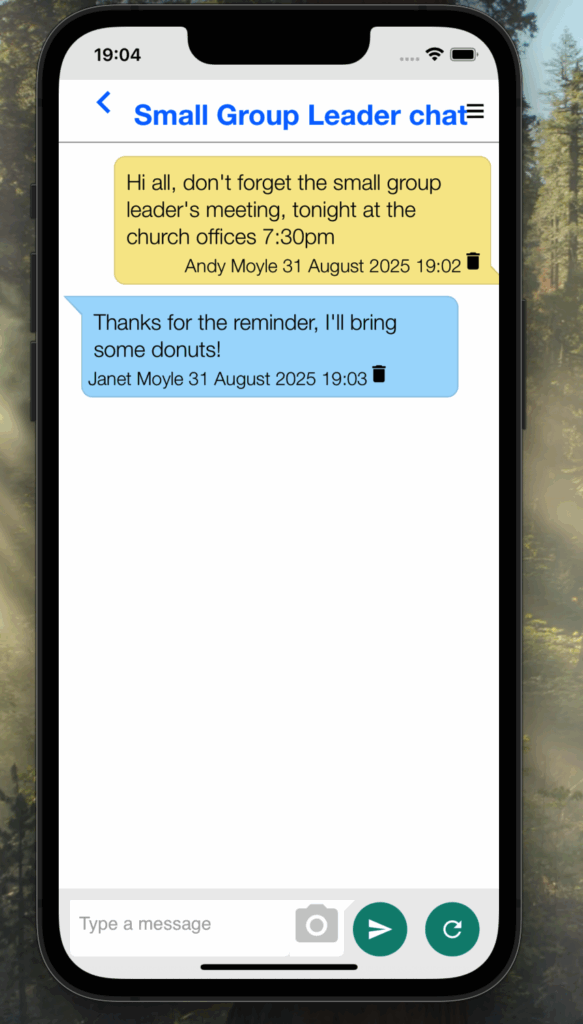
The Our Church app
The recommended way to use Ministry Chat. Members get a native chat experience on their phone, and the app can send push notifications when new messages arrive so nothing gets missed.
On your church website
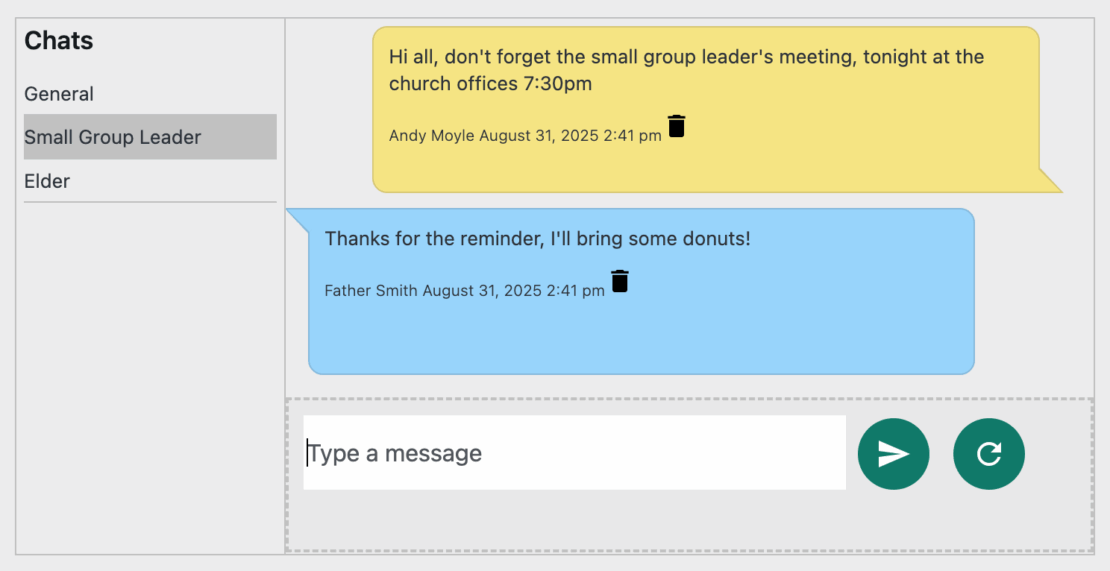
You can embed Chat on any page of your website using the shortcode or block. Members need to be logged in to use it — anyone not logged in will see a login prompt instead.
Alternatively, search for the Church Admin block in the Gutenberg block inserter and select the Chat option — no shortcode needed.
In the WordPress dashboard
Administrators can access Chat directly from Church Admin → Chat in the WordPress dashboard without needing to visit the front end of the site.
Requirements
- Church Admin Premium
- Each user must have a WordPress login account linked to their directory entry — see Creating user accounts
- Ministry team chats require ministries to be set up in Church Admin → Ministries with members assigned to them
Enabling Chat
If Chat doesn’t appear in your Church Admin menu, go to Church Admin → Settings → Choose modules and make sure Chat is switched on.