⭐ Premium
The Child Protection module provides a secure incident log for recording and reviewing safeguarding concerns. It is designed for churches that take their duty of care seriously and want a proper written record of incidents, doubts, and actions taken — all held securely within their own WordPress installation.
Why a dedicated incident log matters
Good safeguarding practice requires that concerns are written down, not just discussed. A pattern of small, individually insignificant incidents — a niggling doubt here, an unusual behaviour there — can, when recorded and reviewed together, build a picture that needs to be taken seriously and reported to statutory services. Without a written log, those patterns are invisible.
Church Admin’s incident log keeps every record permanently, with a full edit history, so nothing is lost and nothing can be quietly amended without a trace.
Setting up the module
Before logging incidents, you need to set up a Child Protection ministry in Church Admin → Ministries and assign your Designated Safeguarding Lead (DSL) and any deputies to it. The module uses ministry membership to control who receives email notifications when an incident is logged and who has access to the incident records.
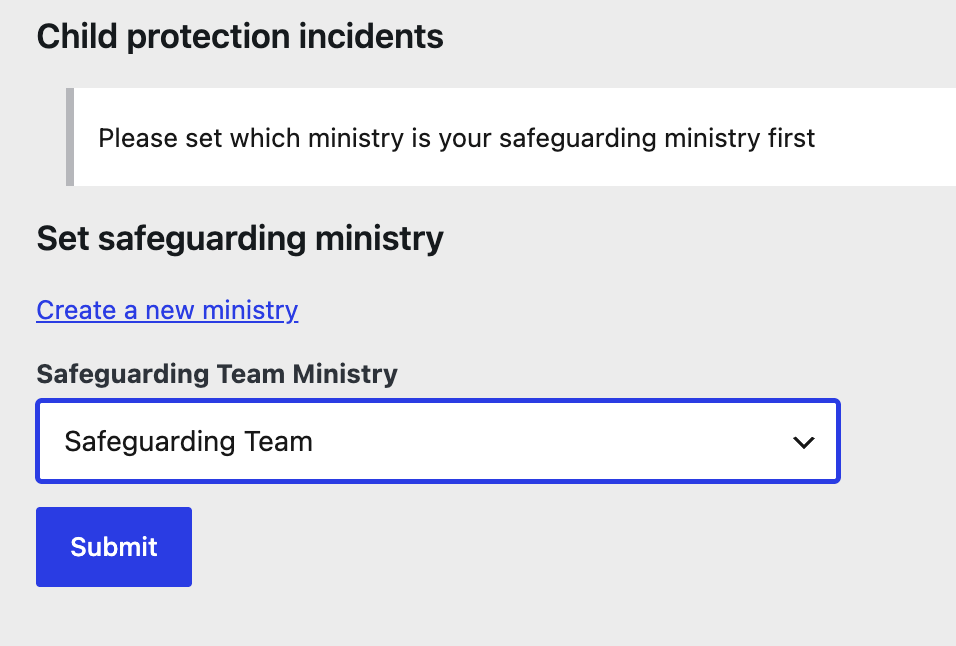
The first time you look at the Child Protection Incidents Module, you will be directed to set up a Safeguarding Ministry. If you already have one, you can select it and save.
See Ministries, small groups and classes for how to set up a ministry and assign members to it.
Logging an incident
Go to Church Admin → Child Protection. Members of the safeguarding team can add a new incident from this screen. When an incident is saved, an email notification is sent automatically to the Designated Safeguarding Lead so they are aware immediately and can decide what action to take.
Incidents can involve children searched for by name from the directory. Even minor doubts are worth recording — the threshold for logging should be low.

Managing incidents
- Comments — team members can add comments to an incident as it develops, keeping a running log of observations, conversations, and decisions all in one place
- Edit history — every edit to an incident is logged automatically, so there is a permanent audit trail of who changed what and when
- Closing incidents — incidents that require no further action can be closed, but they remain in the system permanently. Closed incidents still contribute to pattern recognition if the same child or concern arises again.
- Permanent records — incidents are never deleted. This is by design — safeguarding records should be kept indefinitely in case they are needed years later.
Who has access
Access to the Child Protection module is restricted to members of the safeguarding ministry team and WordPress administrators. Other users — including other Church Admin administrators — cannot see incident records. This is an important confidentiality safeguard.
Be careful about who is assigned to the Child Protection ministry. Only the DSL, deputy DSL, and any others with a legitimate need to know should be included.
Important safeguarding reminder
This module is a record-keeping tool — it does not replace your church’s safeguarding policy, training requirements, or statutory reporting obligations. If a concern meets the threshold for referral to statutory services (children’s social care or the police), that referral must still be made through the appropriate channels regardless of what is recorded here. Always follow the guidance of your denominational safeguarding adviser or the NSPCC’s safeguarding in faith organisations guidance.
There is also a block and shortcode to allow anyone registered and logged in to report a concern.