⭐ Premium
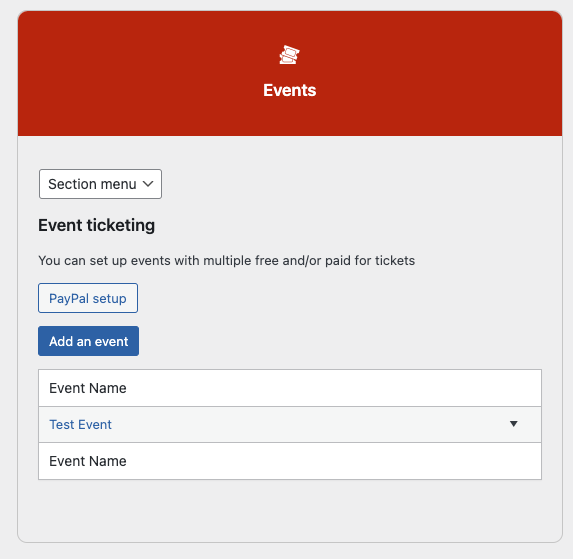
The Events admin screen is the central hub for managing all your ticketed events — creating events, managing ticket types, viewing and downloading bookings, checking in attendees on the day, and emailing everyone who has booked. Go to Church Admin → Events.
The events list
All events are listed in reverse chronological order — most recent first. Each row shows:
- Event name — click the name to open the full event detail screen showing the date, location, ticket types, custom fields, and a shortcode for that specific event
- Edit — opens the event edit form to update name, date, location, or description
- Delete — removes the event. Events with at least one booking cannot be deleted — the Delete link is replaced with Can’t be deleted. Cancel bookings first if you need to remove the event.
- Add ticketholder — manually adds a booking to the event without going through the public form. Useful for bookings received by phone or email.
- Date — the event date and time
- Tickets — lists the ticket types for the event. Ticket types with no bookings yet are shown as clickable links to edit them. Ticket types that already have bookings show the name and booking count in brackets — for example Adult (12) — and cannot be edited to prevent data inconsistency. An Add a ticket type link is always shown to add further types.
- Gross revenue — the total payments received for this event, shown in your configured currency. Premium only — not shown on the free version.
- Shortcode — the shortcode to embed the booking form for this specific event on any page of your website, for example Please add event_id to the shortcode or block
- Bookings — links to view, download, and communicate with people who have booked (see below)
Adding an event
Click Add an event at the top of the screen. Fill in the event name, date and time, location, and an optional description. Save and the event appears in the list. You then need to add at least one ticket type before the booking form will work.
Adding ticket types
Click Add a ticket type in the Tickets column for an event. For each ticket type set:
- Ticket name — for example Adult, Child, or Concession
- Price — enter 0 for free tickets. Paid tickets require a payment gateway configured at Church Admin → Giving → Payment Gateway Setup. See Payment gateway setup.
- Quantity available — the maximum number of this ticket type that can be booked. Bookings are blocked once this number is reached.
You can add multiple ticket types to a single event. An event with both a free child ticket and a paid adult ticket is perfectly valid.
Adding the booking form to your website
Each event has its own shortcode shown in the Shortcode column. Paste it onto any page to show the booking form for that event:
[church_admin type="event_booking" event_id="3"]To show all upcoming events with their booking forms on a single page, use the general events shortcode instead:
[church_admin type="events"]Or search for Church Admin in the Gutenberg block inserter and select the Events or Event Booking option. The event ID for use in the block is shown on the individual event detail screen — click the event name to find it.
Managing bookings
The Bookings column on the events list gives you four options for each event:
- View bookings — opens the full bookings list for the event, showing each person’s name, email, ticket type, and booking date. From here you can edit or delete individual bookings — you are warned if editing or cancelling a paid booking may require a manual refund, since Church Admin does not process refunds automatically.
- Bookings CSV — downloads a spreadsheet of all bookings for the event, useful for door lists, seating plans, or importing into another system
- Bookings PDF — downloads a printable PDF list of all bookings
- Email bookers — sends an email to everyone who has booked for the event (see below)
Emailing everyone who has booked
Click Email bookers on any event to open a compose form and send an email to everyone who has booked. Fields available are:
- Subject — the email subject line
- From name — defaults to your site name
- From email — defaults to your admin email address
- Message — composed using the WordPress editor
The following shortcodes are available in the message body and are replaced individually for each recipient:
[FIRSTNAME]— the booker’s first name[LASTNAME]— the booker’s last name[NAME]or[FULLNAME]— the booker’s full name
The email is sent using your configured bulk email method — Mailersend, Brevo, or standard WordPress email. Anyone who booked without providing an email address is skipped.
Checking in attendees on the day
For events that have bookings, a Checkin Tickets link appears in the Bookings column. This opens a checklist of everyone who has booked, with a checkbox next to each name. Tick the checkbox as each person arrives — the check-in is saved immediately via AJAX with no page reload needed. Unticking a checkbox undoes the check-in if someone was ticked in error.
The check-in screen is designed to be used on a tablet or laptop at the door. Each name shows the check-in time once ticked, giving a clear record of who arrived and when.
Custom fields on events
Events can have custom fields added to the booking form — for example a dietary requirement, a T-shirt size, or an emergency contact. Custom fields are configured when adding or editing the event and appear on the individual event detail screen once saved. The values submitted by bookers are visible in the bookings list.