There’s a new feature to make schedule and rota planning more powerful.
The shortcode
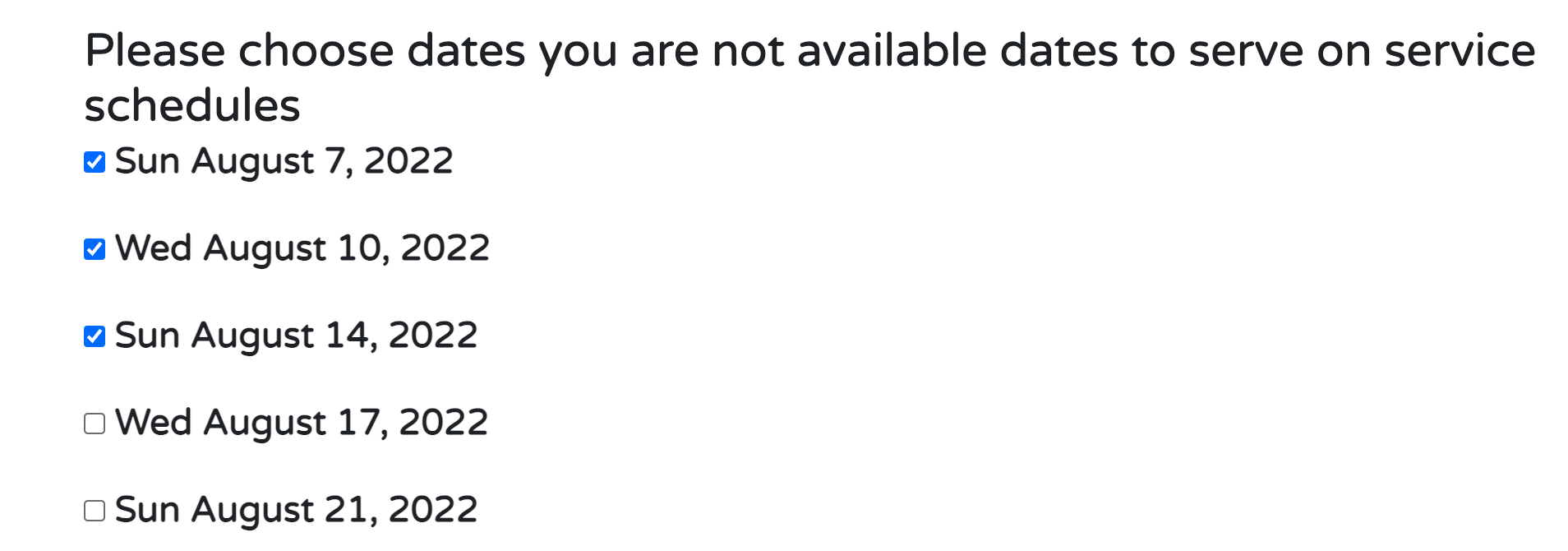
church_admin type=”not-available”
displays a form with the next 120 days of services dates on it. A logged in user can then check the dates they are not available. That will then show service planners who is not available on a particular day to serve.
Here’s what the shortcode looks like to users
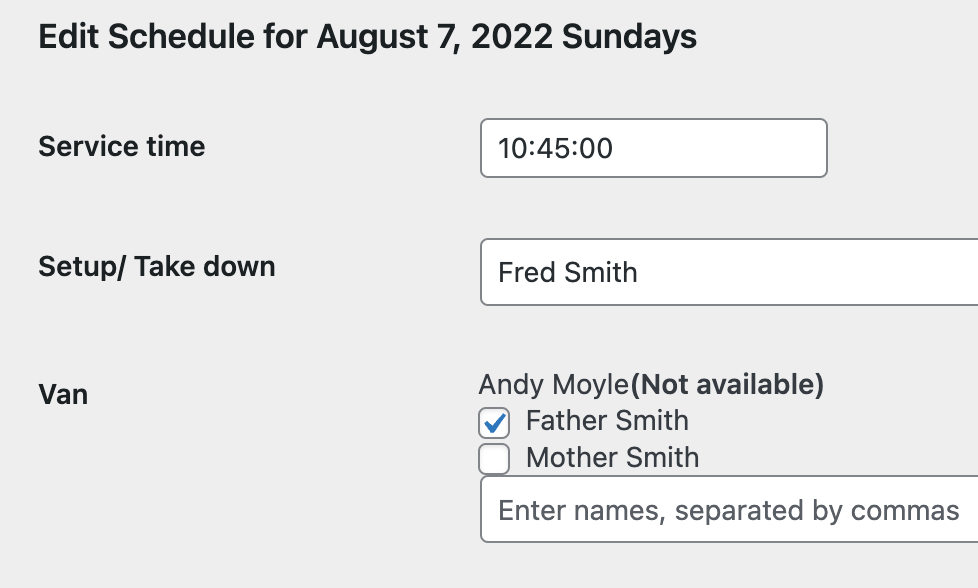
An edit page for a schedule date, where you have added names to a schedule job/ministry would then look like this…
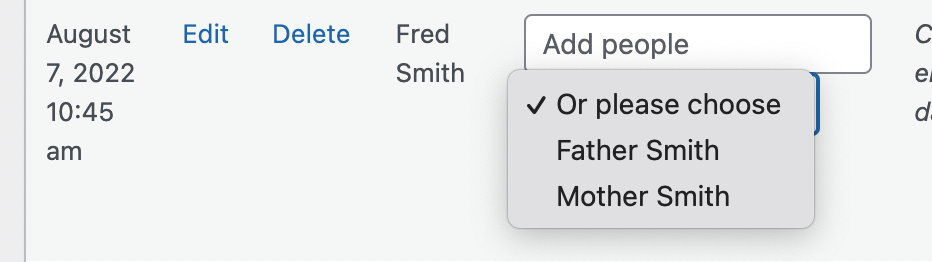
If you are clicking on a table cell on a whole page schedule, then the names of unavailable people will not show in the dropdown.
If you type the name of someone who isn’t available, it is ignored and a warning given
Why not try the premium version to schedule your service servers better and faster
Small Churches
Upto 50 people
All the free modules
Add communication tools
Rotas
Online Giving
Our Church App
$50 per year
Bigger Churches
All the free modules
Add communication tools
Rotas
Online Giving
Our Church App